Instant Access
Enter your registered email and password, hit Log In, and your full account — balance, active bonuses, and game history — loads immediately.
Login at WantedWin in Australia: Account Security
Access your account in seconds via browser on any device — desktop, iOS or Android. Your balance, bonuses and game history are all waiting.
Keep Your Account Secure
What You Should Do
What You Should Avoid
Signing In Made Simple
Instant Access
Enter your registered email and password, hit Log In, and your full account — balance, active bonuses, and game history — loads immediately.
Two-Factor Authentication
Enable 2FA in your account security settings to add a second verification step and prevent unauthorised access even if your password is compromised.
Mobile Login
WantedWin is fully optimised for iOS Safari and Android Chrome. Sign in directly from your mobile browser — no app download required.
Signing in to WantedWin takes only a few seconds once your account is active. The process is identical across all devices — what changes is which browser or interface you are using, not the credentials or the steps themselves. New here? The steps to Sign Up take only a few minutes.
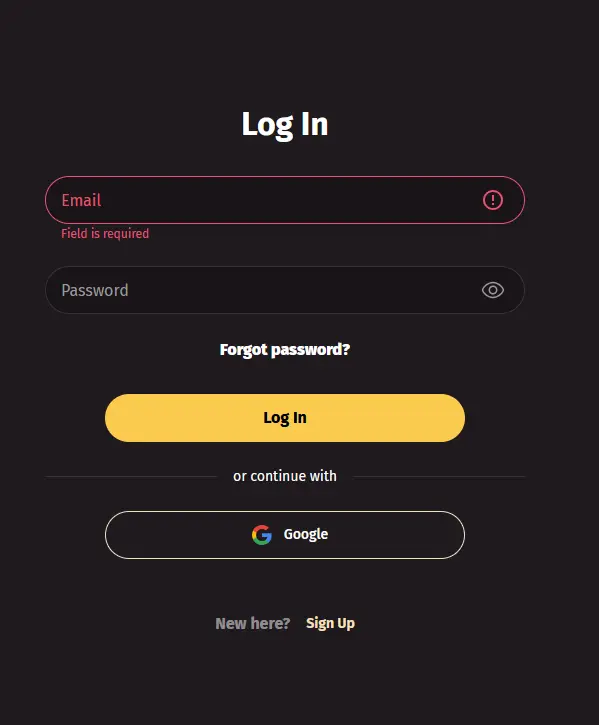
Open wantedwinaussie.com in any desktop browser (Chrome, Firefox, Edge, or Safari on Mac). Click the Log In button in the top-right corner of the homepage. Enter the email address and password you chose during registration, then click the Log In button within the form. If you have two-factor authentication enabled, a verification code will be requested at this point — enter the code from your authenticator app or SMS to complete the sign-in.
On Android, open Chrome (or your preferred browser) and navigate to wantedwinaussie.com. On iPhone or iPad, use Safari. The mobile layout repositions the Log In and Sign Up controls to the bottom of the screen for easier thumb access. Tap Log In, enter your credentials, and proceed through any 2FA step if enabled. The full game catalogue — including live Evolution Gaming tables and all pokies — loads within the mobile browser without any download.
WantedWin does not currently offer a dedicated app via Google Play or the App Store. Mobile access is through the browser-optimised site, which delivers the same games, balance management, and bonus tools as the desktop version. You can add a shortcut to your home screen for quicker access: in Safari tap the Share icon then Add to Home Screen; in Chrome tap the three-dot menu then Add to Home Screen.
WantedWin uses email and password as the primary login credential pair, matching the details entered during registration. Two-factor authentication is available as an optional but strongly recommended second layer. If your device supports biometric login (Face ID or fingerprint), your mobile browser may offer to use it to autofill your saved credentials, though this is a browser-level feature rather than a built-in WantedWin function.
Most login difficulties fall into a small number of categories, each with a straightforward fix.
If you cannot remember your password, use the Forgot Password link on the login screen. The reset email arrives within a few minutes; if it does not appear in your inbox, check the spam or promotions folder. Paste the link from the email into your browser rather than clicking it from within an email client, as some security tools break redirect links.
If your account shows as locked or suspended, the most common cause is multiple failed login attempts triggering an automatic security hold. Wait 15 minutes, then try again with the correct password. If the lock persists, email [email protected] with your registered email address and account details to request a manual review.
If you are logging in from a new device or a different location and the system flags the attempt, follow the on-screen instructions, which typically involve confirming a link sent to your registered email. This is WantedWin’s fraud-prevention system functioning as designed.
If the login page fails to load, clear your browser cache and cookies, disable any VPN or proxy that may be masking your location, and try again. Switching from one browser to another (for example, from Firefox to Chrome) resolves rendering issues in most cases.
Your WantedWin account holds your real-money balance, your bonus entitlements, and your personal and payment data — so treating it with the same care as an online banking account is the right approach.
Two-factor authentication adds a code requirement at every login, so that even if a third party obtains your password they cannot access your funds without the second factor. Enable 2FA in the Security section of your account settings. Choose a password that is at least 12 characters long and unique to WantedWin — a password manager makes this easy to maintain without having to memorise long strings.
WantedWin support staff will never ask for your password by email, phone, or live chat. Any message doing so is not from WantedWin. If you receive such a request, report it immediately via [email protected].
Routine housekeeping matters too: log out after every session on a device that others can access, review your login history periodically in account settings, and update your password if you notice any unfamiliar activity.
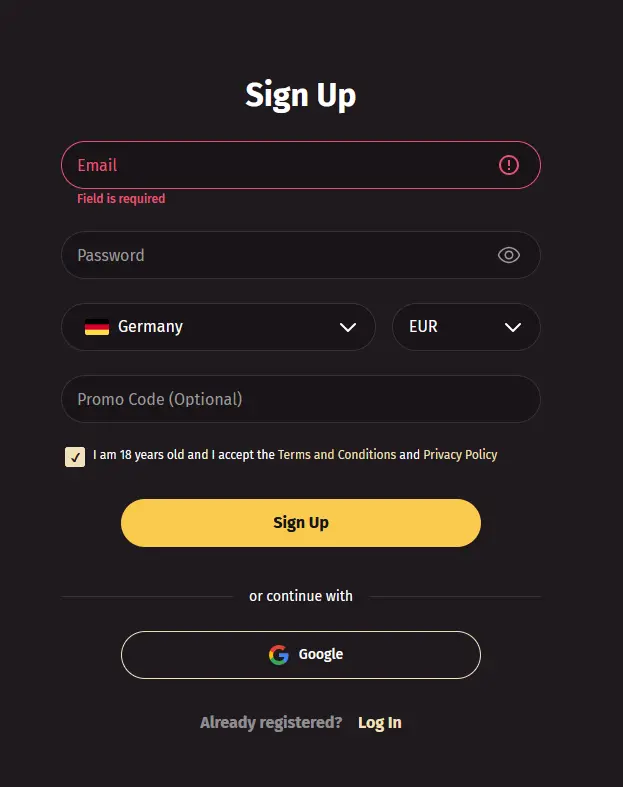
Creating a WantedWin account takes less than five minutes. Visit wantedwinaussie.com, click Join, and complete the short registration form with your name, email address, date of birth, and Australian residential address. Confirm via the activation link sent to your inbox, and your account is ready to fund. The welcome package — up to $5,000 in matched deposits and 500 free spins on BGaming pokies — is available to all new players aged 18 and over who complete registration and make their first qualifying deposit.
Login Questions Answered
Click Forgot Password on the login screen, enter your registered email address, and follow the reset link sent to your inbox. Check your spam folder if the email does not arrive within a few minutes.
WantedWin's security system may flag logins from an unrecognised device or IP address. Complete the verification step shown on screen or check your email for a confirmation link to clear the flag.
Yes. Open Safari on your iPhone, navigate to wantedwinaussie.com, and tap Log In. The site is fully optimised for iOS and all features, including live Evolution Gaming tables and pokies, are accessible from the browser.
No. WantedWin permits one account per person. Creating duplicate accounts violates the terms and conditions and may result in the forfeiture of bonus funds or account closure. If you have lost access to your original account, contact support at [email protected].
Ready to Play? Log In Now
Grab 100% up to $5,000 and 500 free spins.
Enter the Casino Play responsibly. This site is restricted to players 18+, and all bonus offers are subject to their terms.