Android
- Access: Mobile browser (Chrome recommended)
- Minimum Android version: Android 8.0 or later recommended
- Installation: No download required; add shortcut via Chrome menu
App at WantedWin in Australia: iOS & Android
8,700+ games, live Evolution Gaming tables, AUD deposits via PayID and Neosurf, and your full bonus balance — all accessible from the mobile browser on any iOS or Android device, no download required.
WantedWin in Your Pocket
8,700+ games, live Evolution Gaming tables, AUD deposits via PayID and Neosurf, and your full bonus balance — all accessible from the mobile browser on any iOS or Android device, no download required.
Open on Mobile Play responsibly. This site is restricted to players 18+, and all bonus offers are subject to their terms.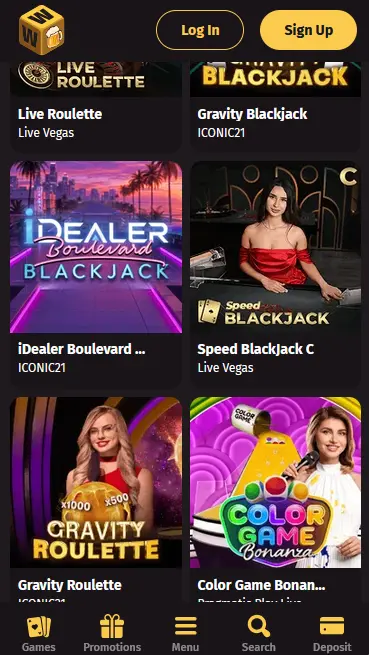
Mobile Experience: Pros and Cons
Pros
Cons
Mobile Security Practices
What You Should Do
What You Should Avoid
Device Compatibility
Android
iOS
How to Get Started on Mobile
What the Mobile Experience Delivers
Full Game Catalogue
Every pokie, live table and jackpot game available on desktop is playable from the mobile browser. No titles are locked behind a native app download.
Instant PayID Deposits
Fund your account via PayID, Neosurf or Visa directly from your mobile banking app. AUD deposits clear instantly with no conversion fees.
Biometric Login Support
iOS and Android browsers support Face ID and fingerprint autofill for saved WantedWin credentials, cutting sign-in time to a single tap.
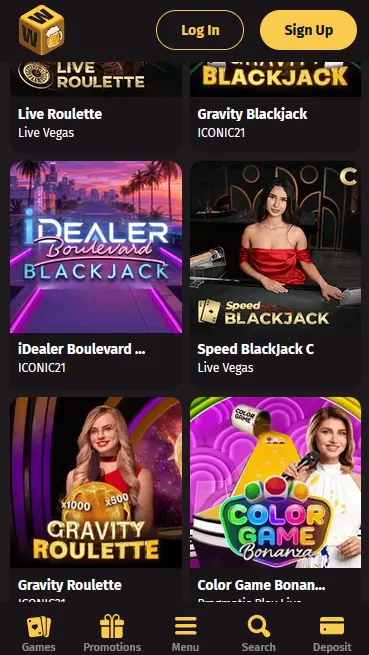
WantedWin’s mobile browser experience carries the full catalogue without restriction. No titles are reserved for desktop, and no features are switched off on a smaller screen. The layout adapts to portrait and landscape orientations, and the search, filter, and sorting tools work identically to the desktop version.
All 8,000+ pokies from the WantedWin catalogue are playable on mobile, spanning studios including NetEnt, Play’n GO, BGaming, Microgaming, Push Gaming, Hacksaw Gaming, Yggdrasil Gaming, Iron Dog Studio, and Gamomat. High-volatility titles such as Book of Dead (Play’n GO, RTP 96.21%) and Jammin’ Jars (Push Gaming, RTP 96.83%) render without stuttering over a 4G connection, and the bonus-buy filter remains active on mobile so you can jump directly to the bonus round on eligible pokies.
Over 920 live dealer tables from Evolution Gaming, Pragmatic Play Live, Ezugi, BETER Live, and Atmosfera stream in real time through the mobile browser. Lightning Roulette by Evolution Gaming, Lucky 6 Roulette by Pragmatic Play Live, and Baccarat Live by Ezugi are among the most-played titles on mobile. Stream quality scales to your connection speed, and games broadcast in HD at 30 frames per second or better on a standard 4G signal.
RNG versions of blackjack, roulette, baccarat, poker, and European Roulette are all available in the mobile browser alongside their live-dealer equivalents. Demo mode is supported on mobile for pokies and RNG table games, so you can trial a title before committing real money.
The 250+ progressive jackpot titles in the WantedWin catalogue are accessible on mobile, with current prize-pool totals displayed in the lobby. Jackpot eligibility and mechanics are identical on mobile and desktop; the random number generator operates at the same parameters regardless of which device is being used.
WantedWin’s mobile experience is browser-based and runs on any modern smartphone or tablet. There is no minimum hardware specification beyond a device capable of running an up-to-date version of iOS or Android.
Android users access WantedWin through Chrome (version 80 or later recommended). The site performs reliably on Android 8.0 (Oreo) and above. Older Android versions may encounter rendering issues on certain live-streaming tiles; updating Chrome via the Google Play Store resolves most compatibility problems without requiring an update to the Android OS itself.
iPhone and iPad users access WantedWin through Safari. iOS 13 or later is recommended for full compatibility with live streaming and WebGL-based pokie animations. Users on iOS 16 and later also benefit from enhanced WebKit performance that reduces load times on high-asset game lobbies.
| Platform | Browser | Minimum OS | Notes |
|---|---|---|---|
| Android | Chrome 80+ | Android 8.0+ | Add shortcut via Chrome menu |
| iOS | Safari | iOS 13+ | Add shortcut via Share > Add to Home Screen |
| Any | Modern browser | Current major version | Desktop browsers also supported |
Every payment method available on desktop is accessible from the mobile browser, including AUD-native options that Australian players use daily.
PayID deposits transfer directly from your Australian bank account to your WantedWin balance via the NPP (New Payments Platform), typically clearing in under a minute. Neosurf voucher codes can be entered in the mobile cashier just as on desktop. Visa, Mastercard, ecoPayz, MiFinity, Skrill, Paysafecard, and all supported cryptocurrencies (Bitcoin, Ethereum, Litecoin, Dogecoin, Bitcoin Cash, USDT) are equally available. The minimum deposit is $20 across most methods.
| Method | Deposit Speed | Withdrawal Speed |
|---|---|---|
| PayID | Instant | No public data found |
| Neosurf | Instant | Not available for withdrawals |
| Visa / Mastercard | Instant | 1-3 business days |
| Cryptocurrency | Near-instant | Near-instant post-KYC |
| Bank Transfer | Instant | 3-5 business days |
| ecoPayz / Skrill | Instant | 1-2 business days |
All payment data in transit is protected by 128-bit SSL encryption. WantedWin operates a closed-loop withdrawal policy, meaning funds are returned via the same method used to deposit. This prevents fraud and satisfies AML requirements without adding delay to standard withdrawals.
WantedWin applies the same security infrastructure to mobile as to desktop. The 128-bit SSL layer encrypts all data exchanged between your device and the WantedWin servers, whether you are on a home broadband connection or a 5G mobile network.
Every page load and every transaction at wantedwinaussie.com is delivered over HTTPS. The SSL certificate is active at all times; your browser will display a padlock icon in the address bar confirming the encrypted connection.
Two-factor authentication can be enabled from the Security section of your account settings and works via an authenticator app or SMS code. Once active, every new login from an unrecognised device will require the second factor, including logins from the mobile browser.
iOS and Android browsers support native biometric authentication (Face ID on iPhone, fingerprint on Android) for autofilling saved login credentials. This feature is managed at the browser level and requires you to save your WantedWin email and password in the browser’s password manager with biometric unlock enabled.
New players can register directly from the mobile browser. Navigate to wantedwinaussie.com on your phone, tap Join, and complete the registration form with your full name, email address, date of birth, and Australian residential address. Tap Submit and check your inbox for the activation link. Tap the link to verify your email and your account is immediately ready to fund. The full welcome package — up to $5,000 across three deposits and 500 free spins on BGaming pokies — is available from the first mobile deposit. For a detailed breakdown of the bonus terms and wagering conditions, see the bonus page.
Tap Log In at the bottom of the mobile screen, enter your registered email and password, and complete any 2FA step if enabled. The session persists until you log out manually or the browser session expires through inactivity. Adding a home-screen shortcut (see the steps section) allows Face ID or fingerprint autofill to streamline future sign-ins to a single biometric confirmation.
The complete WantedWin bonus catalogue is available through the mobile browser. There are no mobile-exclusive restrictions on bonus eligibility, and no bonus is unavailable simply because you are playing on a phone rather than a desktop.
The three-part welcome package (100% up to $1,000, 75% up to $1,500, and 50% up to $2,500, plus 500 free spins on Elvis Frog in Vegas, Dominator’s Treasure and Wild Cash by BGaming) is claimable from a mobile device. Each stage activates automatically on a qualifying deposit of $20 or more. The 40x wagering requirement and 14-day validity period apply equally on mobile. 18+ only. Gamble responsibly.
WantedWin does not distribute a native app through Google Play or the Apple App Store. Mobile access is entirely browser-based, which means no storage is consumed and no install permissions are required.
Open Chrome on your Android device and navigate to wantedwinaussie.com. Tap the three-dot menu in the top-right corner of Chrome and select Add to Home Screen. Name the shortcut (for example, WantedWin) and tap Add. The icon appears on your home screen and launches the casino directly in Chrome with a full-screen layout, behaving exactly like a native app.
Open Safari on your iPhone or iPad and navigate to wantedwinaussie.com. Tap the Share icon (the square with an upward arrow) in the Safari toolbar. Scroll down the share sheet and tap Add to Home Screen. Confirm the name and tap Add in the top-right corner. The shortcut appears on your home screen and opens the site in a dedicated Safari window without the browser toolbar, giving an app-like experience.
Both the Android Chrome shortcut and the iOS Safari shortcut function as progressive web app (PWA) access points. They open without browser chrome, update automatically when WantedWin deploys changes server-side, and require no manual update on your part. The experience is equivalent to a native app for all practical purposes, including PayID deposits, live streaming, and full bonus access.
WantedWin support is reachable from the mobile browser through the same channels as desktop, with no reduction in service for mobile users.
Live chat is available 24/7 directly from the mobile site. Tap the chat icon, describe your issue, and a support agent responds immediately. Email support is available at [email protected] for queries that require document attachments or detailed account history. Both channels operate around the clock, covering Australian time zones at all hours in AEST and AEDT.
Deposit limits, loss limits, wager limits, session time limits, cooling-off periods, and self-exclusion are all manageable from the mobile account settings. WantedWin links to Gamblers Anonymous, GamCare, and Gambling Therapy. Australian players can also access Gambling Help Online. All responsible gambling tools apply equally across mobile and desktop sessions, and any limit set on one device applies account-wide regardless of which device you use next. The minimum age to play is 18.
The WantedWin mobile browser experience mirrors the desktop platform with two notable layout differences.
The mobile lobby uses a two-column thumbnail grid rather than the multi-column desktop layout, which keeps game art legible at smaller sizes. The Search, Filter by Provider, Sort by Popularity, and Sort by Newest tools are all retained and accessible via the top-bar controls. The Bonus Shop and achievement challenge tracker are accessible from the account menu, which collapses into a bottom navigation bar on mobile. Deposit and withdrawal controls are one tap from the main menu, and the cashier defaults to AUD with no extra currency selection required.
The desktop version displays a wider game grid and offers a multi-panel layout for live casino lobbies. On mobile, live tables open in full-screen mode by default, which improves the streaming experience on smaller screens. All game mechanics, betting limits, and RTP values are identical regardless of the device; the only differences are cosmetic and navigational.
Mobile Questions Answered
No. WantedWin does not currently publish a native app on Google Play or the Apple App Store. All mobile access is through the browser-optimised site at wantedwinaussie.com, which requires no download and works on both Android and iOS.
Yes. The full live casino catalogue, including Evolution Gaming's Lightning Roulette and Pragmatic Play Live tables, streams directly in the mobile browser on both iOS (Safari) and Android (Chrome) over 4G or Wi-Fi.
Because WantedWin runs in a browser rather than a native app, updates are applied server-side and take effect automatically the next time you load the site. There is nothing to download or install to stay on the latest version.
Yes. The entire welcome package, including the $5,000 matched deposits and 500 free spins on BGaming pokies such as Elvis Frog in Vegas, is available to players accessing WantedWin through the mobile browser. Deposit eligibility and 40x wagering requirements are identical to desktop. 18+ only.
Play WantedWin on Your Phone Today
Grab 100% up to $5,000 and 500 free spins.
Enter the Casino Play responsibly. This site is restricted to players 18+, and all bonus offers are subject to their terms.